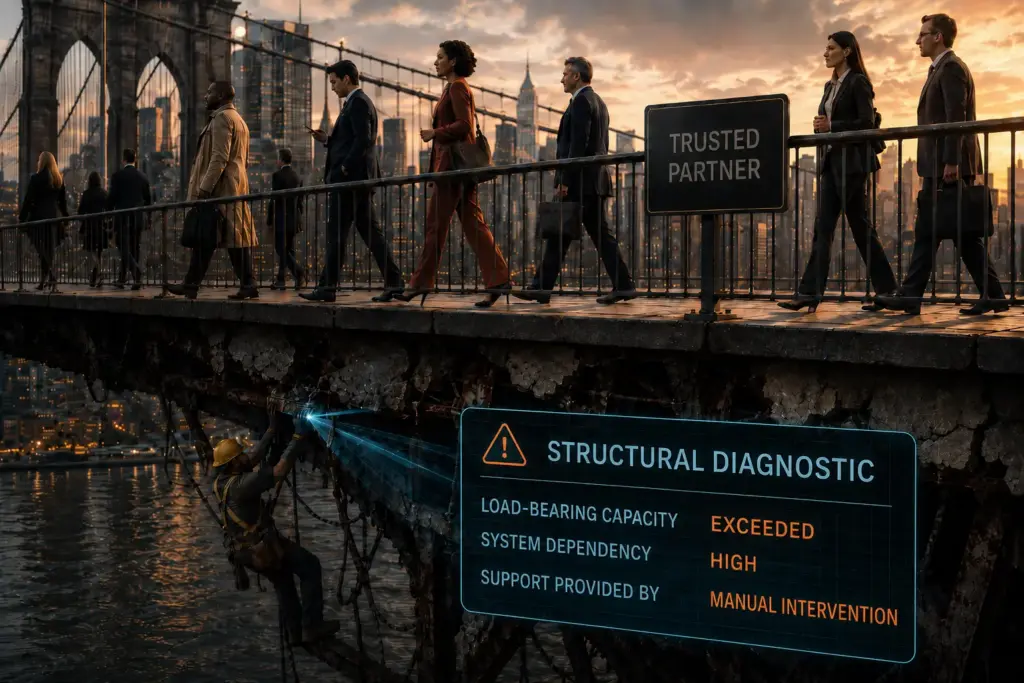
"Not everything that can be counted counts, and not everything that counts can be counted." - William Bruce Cameron
Friction in daily administration
These are not bugs. They are design decisions that cost the administrator time.
Agent upgrade restarts
You can restart one machine at a time, or restart the entire company including every agent that has already finished upgrading. There is no way to target just the machines that still need it. Worse, the UI shows a Pending Restart tag even when the machine was offline at the moment the command went out. That restart never happens. No queue, no retry, no indication it failed, so you believe the job is done when it is not.
Detect policy management
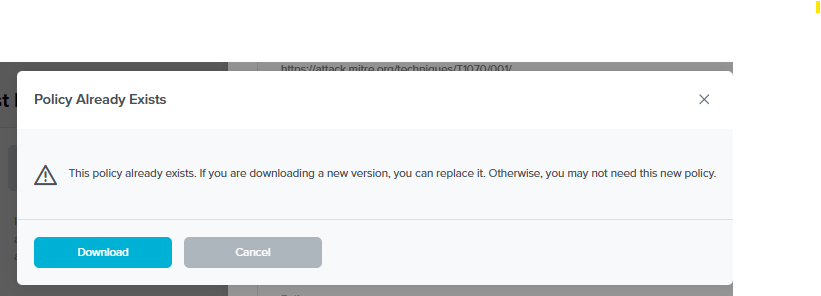
You pull applicable policies from the Community into your tenant. After that, the community versions keep changing and getting fixes, and you are never told. There is no version indicator. Hitting Download again gives you no way to know whether you got something new or a duplicate. Support will tell you an updated version exists; you cannot verify that yourself. I now have over 400 of these and they are effectively unmanageable, because there is no view of what I have already taken.
Detect collaboration
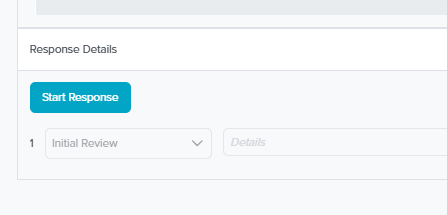
When an event fires there is nowhere to see whether ThreatLocker has assigned anyone to it. The Response Details section is always empty, including on events they cleared. In one case a user logged in from India and then from California ten minutes later, which is impossible travel, and it correctly triggered risk detection in Microsoft 365. ThreatLocker cleared it. I have no idea who cleared it or why. It looks like nobody correlated the earlier logins and somebody simply took the Low priority from the Microsoft side at face value, on an event that plainly warranted a look.
No current user
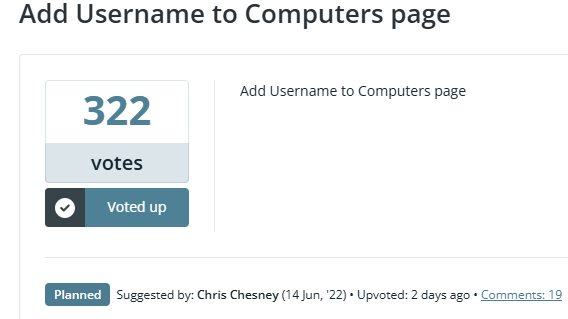
The console does not show who is using a machine, and there is no escalation path for approval requests that arrive by text or email. There is a feature request for this, the second most voted in the portal, open since June 2022. Three years. It is marked Planned. With roughly 1,500 requests in there and only 8 above a hundred votes, Planned starts to feel like a filing cabinet.
No justification on approvals
When a request is denied you usually get a reason, a policy reference or a specific risk. When something is approved on a judgement call, the reasoning is not captured anywhere. A Cyber Hero might approve because the app is already permitted elsewhere in the environment, or because it matches what the user base runs. Reasonable, and invisible. If it goes wrong later there is no context, and you are opening a ticket to find out why your own environment changed. A dropdown or a free text note stored on the approval record would fix this entirely. The same gap exists in reverse: when an approval is escalated to you, the reason is only in the email, so from the portal there is no record of why it landed on your desk.
Deployment and detection of deployment
ThreatLocker does not appear in Add/Remove Programs, so RMM filtering cannot reliably tell you where it is installed. The supplied deployment script does not check whether the agent is already there, so it reinstalls over working setups every time it runs. I wrote a custom check against the installation folder, which then failed because the installer creates the folder even when the install fails. Checking whether the service is running turned out to be the only dependable signal.
Diagnostics
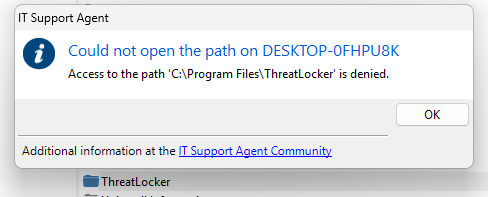
Support cannot pull logs from an endpoint. To get them you disable Tamper Protection, log into the machine, collect the files by hand, and upload them, because as a local admin you can see the files but not read or copy them. Doing it through RMM does not work either: SYSTEM is blocked from those directories by tamper prevention, and stays blocked after you disable tamper protection. A human admin can list and read the directory, an RMM agent cannot. Meanwhile they can pull the 2 GB application database off the machine themselves for analysis, which makes the log situation harder to explain.
VDI on demand
The sandbox for analysing applications is genuinely useful and you cannot trigger it yourself. It only runs off a user approval request. Even then, plenty of things will not analyse: anything needing a runtime dependency such as .NET 8.0, any browser add in for Chrome, Firefox or Edge, and a set of other cases nobody could explain, including simply having no sandbox available at peak times. That last one produced escalations back to us.

Quality control
I appreciate the release cadence. I also notice what is in the releases. Every portal release, roughly every 7 to 10 days, carried 20 to 30 bug fixes alongside the new features, and a lot of those bugs should not have reached production. That changes how I behave: I stay in conservative rings, I do not chase versions, and I only move when a release fixes something I am actually experiencing.
What that looked like in practice, in the first 90 days.
Things blocked that were explicitly permitted
After taking a fix support recommended and moving to 10.1.x, we got widespread blocking of allowed applications. Adobe Creative Suite, Dell firmware tools, Datto RMM, others. Users were flooded with Request Access prompts for software they use daily and the help desk queue spiked. We failed open 200 machines and waited days, and were eventually told to undo the change they had recommended in the first place.
Separately, files from Datto RMM, DNSFilter and other critical tools were being blocked at random. Support traced it to the 2 GB application database being locked during high disk activity, Patch Tuesday for instance. When it cannot be read it fails closed, which blocks nearly everything that is not a Windows core file. Their advice was to enable CoreThrottle, which is what led directly to the problem above.
Ringfencing blocked Windows Defender from reaching Microsoft’s MAPS servers, which took log digging and manual IP allowances to resolve. Ringfencing Chrome broke Open in Desktop from SharePoint for some users; that one was never resolved and we worked around it. Built in policies kept missing files in completely standard software, Chrome, Outlook, Adobe, Dell, Lenovo, Office, and there is no portal function to submit those, so it was a ticket every time, more than half a dozen of them. Visio Viewer was classified as an IT tool for network scanning, which took days to get acknowledged while the user waited to install a document viewer.

ThreatLocker also blocked SentinelOne updates, breaking machines and causing real performance problems, and blocked files needed for Windows 10 to 11 upgrades until we bypassed it for the duration. Their own documentation says one security product should not need to be bypassed to update another.
The agent itself
ThreatLockerService.exe was crashing repeatedly on about 75 percent of our machines, including fresh installs. Updating .NET helped on some. Support blamed .NET and had no further way to investigate. The stub installer failed on a dozen machines with API communication errors, registered nothing in Add/Remove, and left those machines in an unknown state, so we wrote scripts to detect and repair it. No investigation into why the backend failed. An out of box Dell pulled an 8.x stub from years ago off the backend; ThreatLocker’s position was that we must have installed it previously, on a machine that had never been touched. No root cause. And one of our own techs had applications blocked during Learning Mode because the device never received the correct maintenance status. We waited 16 days, re-pushed the policy ourselves, and were told we had interfered. It took five days before anyone asked for logs.
The platform
Four portal outages in my first few months, with sessions dropped mid-use and long stretches where I could not log in. Chat from the login screen was a nice touch; the absence of a status page was not. I was told updates would be on Facebook, or on the login page, and frequently there was nothing in either place. 500 errors stopped us clearing events in the Detect dashboard, so they piled up and stayed uncleared for two and a half months. The Microsoft 365 connector logged nothing at all for 18 days despite a working Graph connection. Detect kept flagging malware in SharePoint from a community detector that had been updated upstream, and since the portal does not tell you about detector updates, finding out meant manually re-downloading across 400 plus items. Guest accounts showed as locked in VPN alerts while being active in Entra ID; after months of back and forth we were told to check again after a portal update that mentioned nothing in the changelog, and it never reached development. Errors in the Software Report function delayed our view of installed applications across the estate, first response three days.
The sandbox failed to launch at least five times, including for ThreatLocker’s own analysts, who then had to escalate requests they could not run. We fell back to VirusTotal hashes to make decisions.

And support would call us about things that did not warrant a phone call, such as a user having Skype set to start automatically.

The interface
The iPhone app crashed every time we opened logs, which took 40 days to fix, and threw raw ASP.NET errors on screen during outages. The Help Desk feature returned 500 errors on file uploads and ticket clearing. Long IPv6 addresses did not wrap in the web UI and overlapped the text beside them. Long email addresses ran off the screen in the mobile Help Desk. Microsoft 365 app approval logs did not include the application name, only vague data, which makes it hard to trace what a user actually consented to. Firefox add ons showed up as unnamed .xpi files with no identifier: Chrome and Edge both give you a path back to the store listing, Firefox did not, which made them hard to approve with any confidence.
"Quality is never an accident. It is always the result of intelligent effort." - John Ruskin