Office 2013/2016 fails to activate on a fresh build. We notice that “No Network Connection” is present on the adapter, running Windows 7 x64bit. The client has two adapters connected, one Ethernet, and the other is Wireless. Both say there is no “Internet Connection” when one clearly exists.
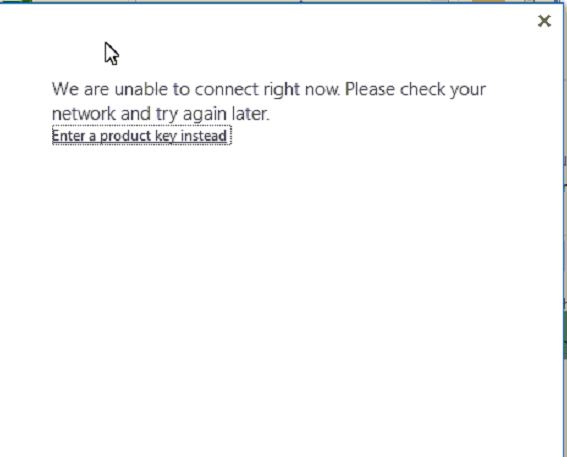
The specific error on opening Office is “We are unable to connect right now. Please check your network, and try again later”. There is an offering to “Enter a product key instead”, but that won’t apply to Office 365.
One recommended fix item was a registry key pointed out for Active Probing, but it did not work.
HKEY_LOCAL_MACHINE\SYSTEM\CurrentControlSet\Services\NlaSvc\Parameters\Internet\Active Probing (1)
We’ve also seen fixes that involved two keys which could be corrupt, or previously configured to block internet sign-in, but that wasn’t it:
HKEY_CURRENT_USER\Software\Microsoft\Office\15.0\Common\Internet\UseOnlineContent

HKEY_CURRENT_USER\Software\Microsoft\Office\15.0\Common\SignIn\SignInOptions
After reviewing sources pointing to various Windows fixes, we had success with general network clean up commands. Here’s the script used to clean the box, and the network connection in the system tray was working right away. It’s likely one of these commands that’s doing the fixing, but for the purpose of revealing the entire fix, I’ve included all of it:
@echo off
echo %time%: Beginning network repair process.
:: BEGIN Callout A
echo %time%: Releasing DHCP lease(s)...
ipconfig /release > NUL
:: END Callout A
echo %time%: Renewing DHCP lease(s)...
ipconfig /renew > NUL
echo %time%: Flushing ARP cache...
arp -d * > NUL
:: BEGIN Callout B
echo %time%: Purging NBT remote cache table....
nbtstat -R | find /i "failed" 1>&2
echo %time%: Releasing and refreshing registered NBT names...
nbtstat -RR | find /i "failed" 1>&2
:: END Callout B
echo %time%: Flushing DNS cache...
ipconfig /flushdns > NUL
echo %time%: Registering with DNS...
ipconfig /registerdns > NUL
echo %time%: Network repair process done.