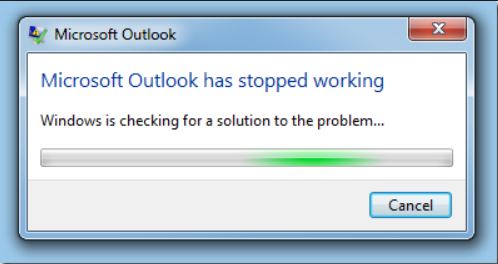
It probably doesn’t matter when you came on-board with Office, be it 2007, 2010, or one of the more recent versions like 2013, and 2016. Office has instability, and it’s noticeable mostly in isolation for end-users. IT folks see the stability, and will regularly institute a number of methods to heal the installation. I’ve chronicled a few of my own, for your reference, and hopefully a quick fix. Windows can keep checking for a ‘solution’, but trust me it’s not coming. This app will never follow-up and do anything, provide any information, or find a solution - at least not how it was originally built.
A second issue is Support. I love them, but I’m not in love with them. Meaning, I do appreciate having somebody at my side, but they are not (I say not) focused on root-cause. The support outside of Premier is not looking to discuss in depth, and they are here for workarounds, helping overcome installation, and activation issues. Other efforts are made to get you assistance, but there are no promises. You’ll be scoped down to getting this one problem fixed, and don’t expect to file any bug reports.
I’m disgusted with the amount of Repairs we’re seeing in the real world, especially as Microsoft’s own fix to the problems they’re seeing. I think the primary problem here is uninstalling just doesn’t remove all of the files, similarly to every other Windows application in the last decade. Why can’t you just clean up after yourself? There are plenty of programs that do it for you, but never you first, or even second, just never! No wonder why so many Registry and Computer Cleaner tools exist, you’ve opened up a gaping hole in the Application loading portion of Windows.
How do I completely remove Office?
Removal via appwiz.cpl (Programs Wizard) is almost never complete. You’ll need to do that, and then run the tool below. Also, use the Microsoft KB for manual removal as a guide. There are countless errors, and almost every one of them is fixed by either an “Online Repair“, which is essentially a complete re-download, and re-install of Office over the internet, usually takes 15-30 minutes depending on connection speed.

FixIT utility from Microsoft removes Office365 installations
Manually uninstall Office 2013 or Office 365
Manually uninstall Office 2016 or Office 365
Repair, Repair, Repair is what they chant at the Microsoft Call Centers, all around the globe. This software blows up in unthinkable ways, luckily they’ve provided a convenient way to forklift repair it, by completely removing it and reinstalling. If you run the FixIT, more stuff will be removed than just the Online repair, which you should try first.
Other places specifically need to be addressed. Did you notice that deleting the profile “Outlook” then trying to recreate it generates an error? It doesn’t remove a key from which causes the duplication message.
It’s not documented in the KB, but here’s where the Outlook profile name lives, sometimes folks are forced to jump profiles to escape this key, because it’s not in Microsoft\Office, but another key:
HKEY_CURRENT_USER\Software\Microsoft\Windows NT\CurrentVersion\Windows Messaging Subsystem\Profiles\Outlook <--This is the profile name, whack it!
AutoDiscover loves probing HTTPS for no reason:

There is a problem with the proxy server’s security certificate.
Outlook is unable to connect to the proxy server your.emailserver.com (Error code 80000000)
Do you have a website listening on https://website.com:443? Are you receiving a large amount of HTTPS traffic from Outlook clients? You may be suffering from an AutoDiscover storm of connections. This happens when the client loads up, and will cause RPC errors for end-users. It’s best to try and 404 the /AutoDiscover/AutoDiscover.xml file.
You can rule it out by adding a temporary hosts file pointing the website to 0.0.0.0, and that’ll further isolate it. This is a bug, and it’s due to Outlook using components of Internet Explorer to validate the cert. If you had an expired cert, you’d actually see a full IE pop-up opening Outlook!
Throw this at it (16.0) for 2016:
[HKEY_CURRENT_USER\Software\Microsoft\Office\15.0\Outlook\AutoDiscover]
"ExcludeHttpsRootDomain"=dword:00000001
"ExcludeHttpsAutoDiscoverDomain"=dword:00000001
Screenshots from the Wild:
Here’s a nasty error we’ve gotten at various points with Office 2016. The error reads “The time limit for logging was reached while waiting for system resources. Try again. MAPI 1.0 [000004C2]”. It then puked out numerous other errors related to system memory. This one was during an upgrade from 2013 to 2016. We could not open the profile in Control Panel, or even create a new one. Another machine just days before had this error sporadically after start-up:

Make sure you remove ALL add-ins completely. Sometimes Salesforce For Outlook can cause this issue, or other’s like Loopup, GotoMeeting, Join.ME, and many others. Get them out, and delete any files you can trace from the Com Add-ins.
All of these are basically useless: SharePoint, VBA, One Note, Social Connector, 3rd party TeamViewer. Also get rid of Send To Bluetooth it causes errors in Word templates, like messages regarding Building Blocks, and modifying the base .DOTM files.
Error from Bluetooth Add-in: “Changes have been made that affect the global template, Normal.dotm. Do you want to save those changes.” (Other Fixes)

More fixes pending!